The best YouTube sponsorship platforms for creators
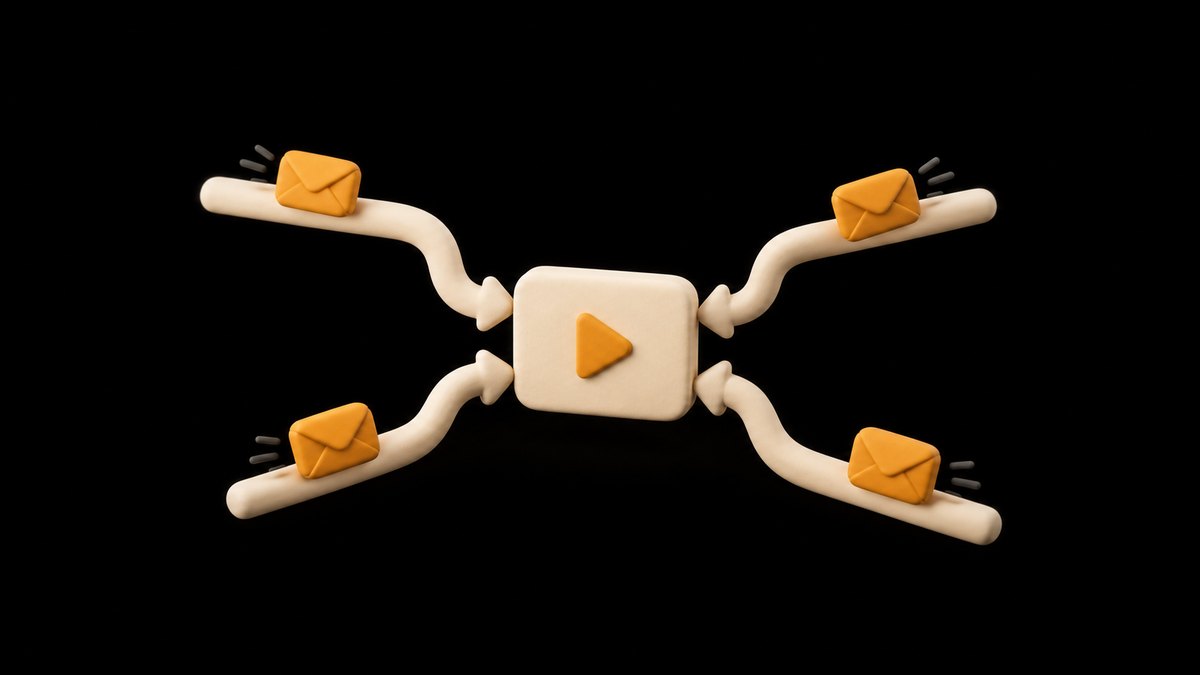
In the YouTube Partner Program, start with the free Creator Partnerships tab in YouTube Studio, where brands come to you. Outside it, brokers and marketplaces find deals for stated fees of nothing to 15 percent. Here is how five compare.
10 minute read

| Platform | Best for | Who can join | How deals arrive | Fee | Paid through it? |
|---|---|---|---|---|---|
| YouTube Creator Partnerships | Partner Program channels wanting inbound offers | 18+, Partner Program, listed countries, no strikes | Brands search and send inquiries | None stated for creators | No; agree terms with the brand |
| SponsorBoard Deals | YouTube creators who want deals sourced | Creators who apply; free to enrol | Broker brings brands to you | 10% of deals it brings | Yes; brand pays SponsorBoard |
| ThoughtLeaders | Tech channels with a set rate | Creators who apply | Emailed offers that fit your rate | None for creators | Its team chases the invoice |
| Passionfroot | B2B niches and your own booking page | Any creator; free sign-up | Booking page, matches, live campaigns | 2% (brand pays); 15% if matched | Yes |
| Creator.co | Applying to campaigns across platforms | Registered creators | Apply or get invited | Not stated for creators | Yes; paid out twice a month |
The short answer: where to find YouTube sponsors
If your channel is in the YouTube Partner Program, start inside YouTube Studio. Every eligible channel is discoverable to brands and gets a Creator Partnerships tab on the Earn page, where you set desired rates for long-form videos and Shorts. YouTube lists no fee for creators. It does not handle the money: YouTube Help tells creators to agree contract and payment terms with the advertiser or agency directly.
If you would rather have deals brought to you, SponsorBoard, a sponsor dashboard built on YouTube data, runs a broker on the creator's side called SponsorBoard Deals that takes 10 percent of the deals it lands and nothing on deals you find yourself. ThoughtLeaders, whose creator page leads with tech channels, lists no fee and no exclusivity for creators and emails you offers that fit your rate.
If you want a booking page of your own, Passionfroot is free to use. It adds a 2 percent fee that the brand covers, and charges a 15 percent fee when it matches you with the brand. Creator.co is a campaign marketplace where you apply or get invited, with payouts twice a month.
None of these replaces your own outreach. Each adds a route for offers, and the right one depends on how much of the selling you want to hand over.
Judge them on the five things that change what you keep
Sponsorship platforms look alike on their home pages, so compare them on five things. The first is who can join: YouTube's tab needs the Partner Program, brokers read applications and choose, and open marketplaces take most creators.
The second is how deals arrive. A built-in tab or a marketplace waits for brands to search, a broker goes out and sells for you, and a storefront gives you a booking page that you share yourself.
The third is the fee and who pays it. A cut taken from your side and a fee added on the brand's side leave you with different amounts from the same deal, so compare what lands in your account.
The fourth is exclusivity: whether you can keep doing your own deals and work with other platforms or agencies at the same time. The fifth is the money path. When the brand pays the platform, the platform collects from the brand. When the platform only introduces you, contracts and collection stay with you.
Two more questions sit under all five: who owns the content you make for a campaign, and what happens if you work again with a brand the platform introduced. Both answers are in the terms, not on the home page.

YouTube Creator Partnerships: free, for Partner Program channels
YouTube's own brand deal tool for creators is now called Creator Partnerships in YouTube Help, and the opt-out contact on that page still carries the BrandConnect name that many creators search for. Every eligible YouTube Partner Program channel is discoverable to brands and gets a Creator Partnerships tab on the Earn page of YouTube Studio.
To get the tab, your channel must meet four requirements. You are at least 18, the channel is in the YouTube Partner Program, you are based in one of the listed countries or regions, and the channel has no active Community Guidelines strikes. The list includes the US, UK, India, Canada and Australia. There is nothing to apply for, and to stop brand outreach the help page says to email YouTube a request to opt out.
Inside the tab you get a media kit built from your channel's audience insights, a place to set desired rates for long-form and Shorts partnerships, and a business contact field that copies your manager or agent on every inquiry. Each inquiry shows the brand and an Earn figure, and some add deliverables and talking points.
The catch is that YouTube introduces and does not collect. The Earn figure is supplied by the advertiser and, in YouTube's words, is not meant to be confused with a final offer. The payment section tells you to work out contract and payment terms with the advertiser or agency directly, so treat an inquiry as a lead you still negotiate and invoice.
SponsorBoard Deals: a 10 percent broker from a YouTube dashboard
SponsorBoard, a sponsor dashboard built on YouTube data, runs SponsorBoard Deals, a brokerage on the creator's side that finds brand deals for you and takes 10 percent of each one it lands. SponsorBoard says it is not an agency, and the Deals page sets out the terms. There is no retainer and no exclusivity, and deals you find yourself stay yours at 0 percent. Nothing is committed without your approval, so you decide on every brand it brings.
The money runs through it. The brand pays SponsorBoard, SponsorBoard keeps 10 percent and you receive the other 90 percent, so you do not chase the brand for payment yourself, though SponsorBoard pays you only if the brand pays. SponsorBoard says you always see the full deal value and that it does not also take a cut from the brand's side. Enrolling is free, and while you are enrolled your SponsorBoard subscription is free as well.
That subscription is the rest of the product. SponsorBoard's home page describes a dashboard that gives each sponsor a private view of the videos that mention it: views, watch time, audience demographics, comment sentiment, link clicks and effective cost per thousand views, synced nightly from YouTube and from its own link tracker. Its free plan includes a public media kit page that pulls current data from YouTube every night. Instagram and TikTok are in beta on the paid Creator plan, so the product is built around YouTube.
The condition to know: on brands that SponsorBoard introduces you to, deals run through SponsorBoard, and it asks you not to go around it. That applies only to those brands, not to relationships you already had.
ThoughtLeaders: a tech-led network with no creator fee
ThoughtLeaders runs a sponsorship network that brings brand campaigns to creators, and its creator page leads with tech channels. It lists no fee, no exclusivity and no inbox noise. To join, you send your primary YouTube channel, your rate for a 60-second integration, your audience demographics and roughly when you have slots open in the next 90 days. When a campaign fits your audience, rate and timing, it emails you the offer, and if nothing fits you do not hear from it.
Once you are booked, its ad ops team runs the integration with you. That means a brief with talking points, promo codes and tracking links, the brand's feedback translated into plain English, and someone chasing the invoice so you are paid on schedule. ThoughtLeaders says it has more than 10,200 verified creators and has paid creators more than $60 million.
The catch is fit. Offers depend on brand campaigns that match your audience, and a channel outside the tech space may hear little. Its Partner Program, which brings a dedicated talent manager and higher rates from repeat advertisers, is invite-only, does not take applications and covers about the top 5 percent of the network.
Passionfroot: your own booking page, with a fee on matches
Passionfroot is closer to a storefront than an agency. It is free for creators to sign up and use, and its creator tools include a media kit with live stats, calendar and scheduling, booking forms, payments and messaging, so a brand can book a slot from a link you send.
Passionfroot adds a 2 percent fee on every transaction, and the brand covers it. When Passionfroot itself matches you with a brand, it charges a 15 percent fee, which includes payment fees. You set your own rates and offerings, payments are processed through the platform, and invoices and payouts are tracked in a dashboard.
Brands can also find you. Passionfroot says it matches creators with B2B brands based on audience, niche and platform, and its Live Campaigns feature lets you apply to brands running active campaigns.
What you give up: the matching is aimed at B2B brands, and the creators on its pricing page are newsletter writers and social media posters, none of them a video channel, so a gaming or lifestyle channel is a weaker fit. The 15 percent on matched deals is also the highest stated fee of the five, so Passionfroot costs you least on bookings you bring in yourself.
Creator.co: a campaign marketplace that pays twice a month
Creator.co is an influencer platform sold to brands, with a creator marketplace attached. Brands publish campaigns with their requirements, and creators either apply to open opportunities or get invited directly. Its home page says more than 270,000 creators are registered and that its creator database covers YouTube, Instagram and TikTok. Your Creator Profile acts as the media kit, showing content, audience insights and past collaborations.
Payments go through the platform. Payment terms are set out in each campaign brief, and after approval payouts are released on the 15th and the last day of each month, arriving within five to seven business days. You can negotiate rates and deliverables before you accept.
The catch is in the rights. Creator.co's creator FAQ says all content created through campaigns on the platform grants full usage rights to the partnering brand, and its home page tells brands they can repurpose creator content across ads, emails and landing pages. Price that use into your rate before you accept. Its creator page also does not say whether creators pay a fee, so ask before your first campaign.
Read four clauses before you compare fees
The fee is the easiest number to compare and rarely the one that decides what a deal is worth. Four clauses matter more.
1. Exclusivity. A non-exclusive platform lets you keep your own sponsors and sign with others. Look for wording that routes all brand contact through the platform or gives it a share of deals it did not find.
2. Introduced brands. Some brokers ask that later deals with brands they introduced keep running through them. Check whether that has an end date and whether it covers brands you already knew.
3. Usage rights. A sponsored segment in your video is one thing, and a brand running that segment as a paid ad is another. If the terms grant full usage rights, charge for it or limit it in the contract by channel and by months.
4. Payment. Find out who invoices, when the money is due and who chases it. When the brand pays the platform, the platform collects, but ask what happens if the brand pays late or not at all. When the platform only introduces you, collecting is yours, so agree a deposit or a due date in writing.
One safety check applies to every tool that connects to your channel. Sign in only through Google's own sign-in page and read the permissions it asks for: a sponsorship tool that reports on your channel needs to read your analytics, not to upload or delete videos.

Mark every sponsored video with YouTube's paid promotion label
Whichever platform brings the deal, the disclosure on YouTube is the same. YouTube Help's page on branded content disclosure labels says that if a video features branded content, sponsorships, endorsements or other commercial relationships, you have to let YouTube know by selecting the paid promotion option in the video details. That adds a disclosure label at the start of the video.
For a new upload, click Show more in the upload details and select Yes, my video includes branded content under Paid promotion. For a video already live, open YouTube Studio, then Content, select the video and tick the branded content checkbox. With it on, you can also set age and country restrictions, which helps when a brand's product is restricted in some markets.
The label is not the whole job. The same page says you and the partners you work with are also responsible for understanding and complying with all applicable legal requirements. Say it out loud in the video too, at the point the sponsor appears, and follow the advertising rules where you and your audience live. None of this is legal advice.
Prepare a rate, a media kit and proof before you apply
Sponsorship platforms ask for some version of the same three things, so prepare them once.
The first is a rate. ThoughtLeaders asks for your price for a 60-second integration, and YouTube's tab asks for desired rates for long-form and Shorts partnerships. There is no reliable public rate table for YouTube sponsorships, so build yours from your own numbers. Take your median views per video over the last 90 days, decide what you would accept for each thousand of those views, and multiply. Test it on the next few offers and raise it when brands accept without pushing back.
The second is a media kit. Brands want to know who watches and how many people usually see a video, not your subscriber count alone. Keep it as a link you can update rather than a file you re-export, as the influencer media kit guide explains, and fill it with the audience data from YouTube Studio rather than estimates.
The third is proof. A brand deciding whether to renew wants to know how the last video did: views, watch time, clicks on your link and what viewers said about the product. Note those numbers for each sponsored video at 30 days, using how to read YouTube analytics if the tabs are new to you, and send them before the brand asks.
Sponsors pay for views, and clips keep them coming
Every sponsorship platform prices you on the same two things: how many people watch your videos and who they are. A Creator Partnerships inquiry draws on your audience insights, a broker pitches your typical views, and a renewal depends on how the last sponsored video did. Steady viewing is the asset under every deal.
Short clips help keep it steady. A Short cut from a long upload can reach viewers who do not see your long videos, and the ones who follow it back add to the views that sponsors look at. The guide on how to make money on YouTube covers how sponsorships sit beside ads and memberships, and how to monetize short-form video covers what Shorts earn on their own. FrameOS turns a long video into captioned vertical clips, so each upload can keep sending new viewers to the channel that sponsors pay for.
FAQ
Is YouTube BrandConnect still available?
Yes, though YouTube Help now calls the creator side Creator Partnerships. It is a tab on the Earn page of YouTube Studio. Channels in the YouTube Partner Program whose owners are at least 18, are based in a listed country or region and have no active Community Guidelines strikes are discoverable to brands and get the tab without applying. If you cannot see it, check those four requirements, starting with Partner Program membership, and remember that YouTube leaves payment terms to you and the brand.
How many subscribers do I need for YouTube sponsors?
YouTube's own Creator Partnerships tab needs Partner Program membership, so its threshold is the Partner Program's, which the guide on how to make money on YouTube sets out. ThoughtLeaders, Passionfroot and Creator.co publish no subscriber minimum on their creator pages. ThoughtLeaders, for example, sends an offer when a campaign fits your audience, rate and timing, and its creator page names no channel size as a condition.
Can I use more than one sponsorship platform?
Yes, as long as none of your contracts makes you exclusive. YouTube's tab switches on by itself for eligible channels, ThoughtLeaders states no exclusivity, and a booking page on Passionfroot sits alongside anything else you do. Before you sign with a broker, check two things in writing: whether it takes a share of deals it did not bring, and whether later deals with brands it introduced must still go through it. Keep one list of which platform brought which brand.
How do I disclose a sponsored video on YouTube?
Tick the paid promotion option in the video details. For a new upload it sits under Show more, as Yes, my video includes branded content. For a live video, open YouTube Studio, then Content, pick the video and tick the branded content checkbox. YouTube then shows a disclosure label at the start of the video. YouTube Help also says you and your brand partners are responsible for meeting all applicable legal requirements, so say it in the video as well.
Can a brand reuse my sponsored video as an ad?
Only if your contract allows it, so read the rights clause before you accept. Creator.co's creator FAQ, for example, says content created through campaigns on its platform grants full usage rights to the partnering brand. Running your segment as a paid ad is worth more to a brand than a read in your video, so either charge separately for usage or limit it in writing to named channels and a set number of months.
Sources
- Get started with YouTube Creator Partnerships · YouTube Help
- SponsorBoard Deals · SponsorBoard
- For Creators · ThoughtLeaders
- Creator Pricing · Passionfroot
- Creator Platform for Influencers & Brand Deals · Creator.co